Welcome to Sym3 Operator. You are about to open and deploy your first project.
1. Open the Operator Editor (Windows Start Menu > All Programs > Sym3 > Sym3 Operator Editor
2. File > Open, select the project C:\ProgramData\Sym3\Sym3 Operator\HelloWorld.s3o
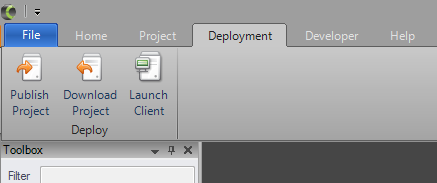
3. In the Sym3 Editor, Select Ribbon Deployment > Publish Project
Note: this may take a while the first time.
4. Click Upload.
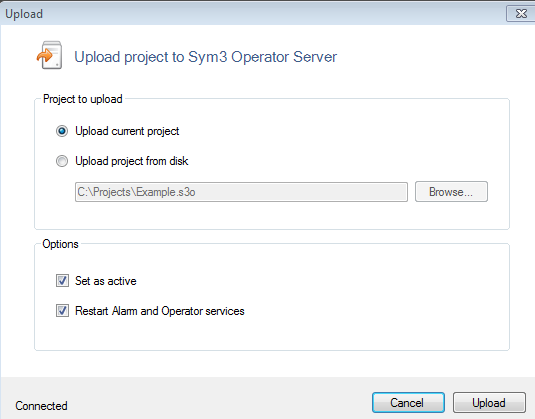
Your project is now up and running on the Sym3 Operator Server. We now need to launch the client.
5. In the Editor, Select Ribbon > Deployment > Launch Client.
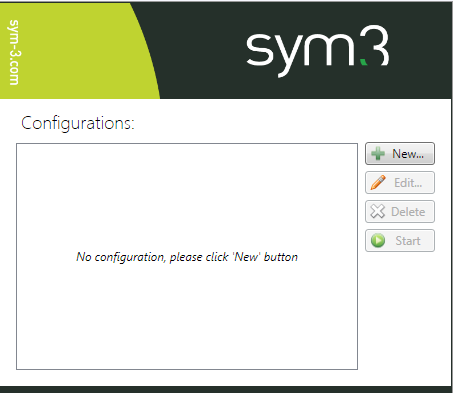
6. Click New to create a new client config.
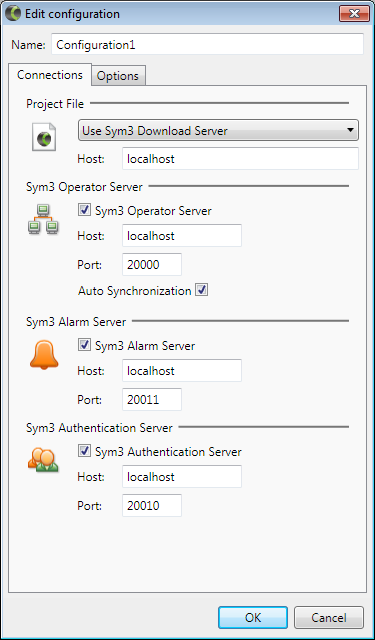
7. Click OK
8. Click Start